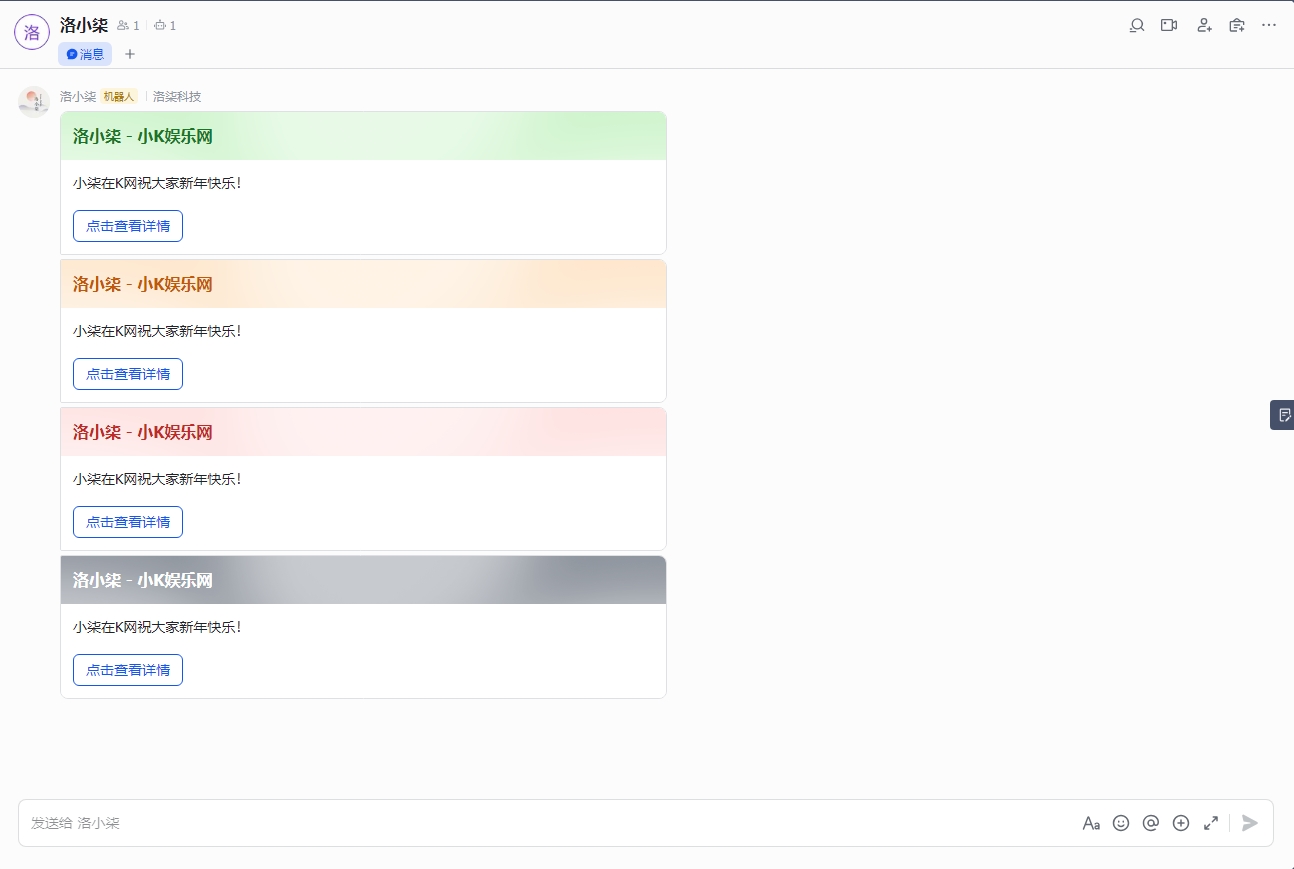
效果图:
代码:
<?php
function sendFeishuCardMessage($type,$title,$content) {
// 飞书机器人的Webhook URL
$webhookUrl = 'https://open.feishu.cn/open-apis/bot/v2/hook/405a03ae-8355-43ca-9422-a53181215ed6';
// 示例调用
$title = $_GET['title'] ?? '测试标题';// 标题
$content = $_GET['content'] ?? '测试内容';// 内容
$url = $_GET['url'] ?? '0';//按钮地址
$type = $_GET['type']; // 可以是 'failure', 'warning', 'success'
// 根据type变量设置卡片颜色和标题
switch ($type) {
case '3':
$color = 'red';//红色
$cardTitle = $title;
break;
case '2':
$color = 'orange';//橙色
$cardTitle = $title;
break;
case '1':
$color = 'green';//绿色
$cardTitle = $title;
break;
default:
$color = 'grey';
$cardTitle = $title;
break;
}
// 构建卡片消息的JSON数据
$data = [
'msg_type' => 'interactive',
'card' => [
'config' => [
'wide_screen_mode' => true,
'enable_forward' => true
],
'elements' => [
[
'tag' => 'div',
'text' => [
'content' => $content,
'tag' => 'lark_md'
]
],
[
'tag' => 'action',
'actions' => [
[
'tag' => 'button',
'text' => [
'content' => '点击查看详情',//按钮文字
'tag' => 'plain_text'
],
'type' => 'primary', // 按钮样式:primary(蓝色)、default(灰色)、danger(红色)
'url' => $url // 按钮点击后跳转的链接
]
]
]
],
'header' => [
'title' => [
'content' => $cardTitle,
'tag' => 'plain_text'
],
'template' => $color
]
]
];
// 发送HTTP POST请求
$ch = curl_init();
curl_setopt($ch, CURLOPT_URL, $webhookUrl);
curl_setopt($ch, CURLOPT_POST, 1);
curl_setopt($ch, CURLOPT_POSTFIELDS, json_encode($data));
curl_setopt($ch, CURLOPT_HTTPHEADER, ['Content-Type: application/json']);
curl_setopt($ch, CURLOPT_RETURNTRANSFER, true);
$response = curl_exec($ch);
curl_close($ch);
return $response;
}
$response = sendFeishuCardMessage($type, $title, $content);
echo $response;
?>
复制代码
使用方法:
在网站目录新建一个名为api.php的文件,将以上代码粘贴进去即可
然后访问域名/api.php?title=洛小柒 - 小K娱乐网&content=小柒在K网祝大家新年快乐!&url=www.xkwo.com&type=1
title是标题
content是主体内容,支持html代码
url是点击按钮链接
type是卡片颜色,1是绿色,2是橙色,3是红色,没有值是黑色
喜欢的话点点关注!!!
如果较多人喜欢的话,接下去写带后台的!!!